Beta Volao is in open beta. Join the first users.
Privacy-first scheduling for Mac

Share when you're free — without handing over your calendar.

Volao lives in your menubar. Share your free time as a link, webcal feed, or text you paste straight into an email. Your calendar stays on your Mac. You manage your time.

Free during beta · Works with iCloud, Google, Outlook, Exchange
Made in Amsterdam · Data in Europe
Volao — My availability

Week 9 — Feb 2026

3 calendars merged
MonBusy
Tue09:00–12:00
WedBusy
Thu13:00–17:00
Fri09:00–11:45
MonBusy
Tue14:00–16:30
Wed10:00–12:00
ThuBusy
FriBusy

Scheduling tools want your entire calendar.
Yours is none of their business.

Calendly, Cal.com, SavvyCal — they all ask for access to your full calendar: titles, attendees, notes, everything. For what you actually want to share — when you're free — none of that is needed.

Your calendar in the cloud

Event titles, attendees, and notes end up on third-party servers. Including that doctor's appointment or the client you signed an NDA with.

Account requirements for guests

Your guest has to register, accept cookies, and deal with a tracking pixel. Just to book one call.

Overhead you don't want

Dashboards, integrations, AI recommendations. Useful for a 40-person sales team. Overwhelming when you work solo.

Your calendar stays your calendar.

Volao is a Mac app that reads your free times locally and shares only those. No event content, no cloud sync of your full calendar, no account requirements for your guest.

Native, not in the browser

A menubar app built in SwiftUI. No Electron, no dashboard, no login. One click and you've got your week.

Only free slots sync

The server sees "10:00–11:00 free", never "doctor's appointment". Event titles, attendees, and notes stay local.

Three ways. Three audiences.

A booking link for a one-off guest. A webcal feed for regular relationships — up to a year ahead. Or paste your free hours as text into an email or WhatsApp. Choose per situation.

Everything you need. Nothing more.

The six things Volao does differently than Calendly, Cal.com, or SavvyCal.

01

Native Mac app, not a webapp

Volao runs in your menubar. Reads your calendar locally via EventKit. You don't open a browser, don't log in anywhere, don't see a dashboard.

02

Your calendar doesn't go to the cloud

Only free slots sync — never titles, attendees, notes, or locations. The server sees "10–11 free", not "doctor's appointment".

03

Share as text, not just a link

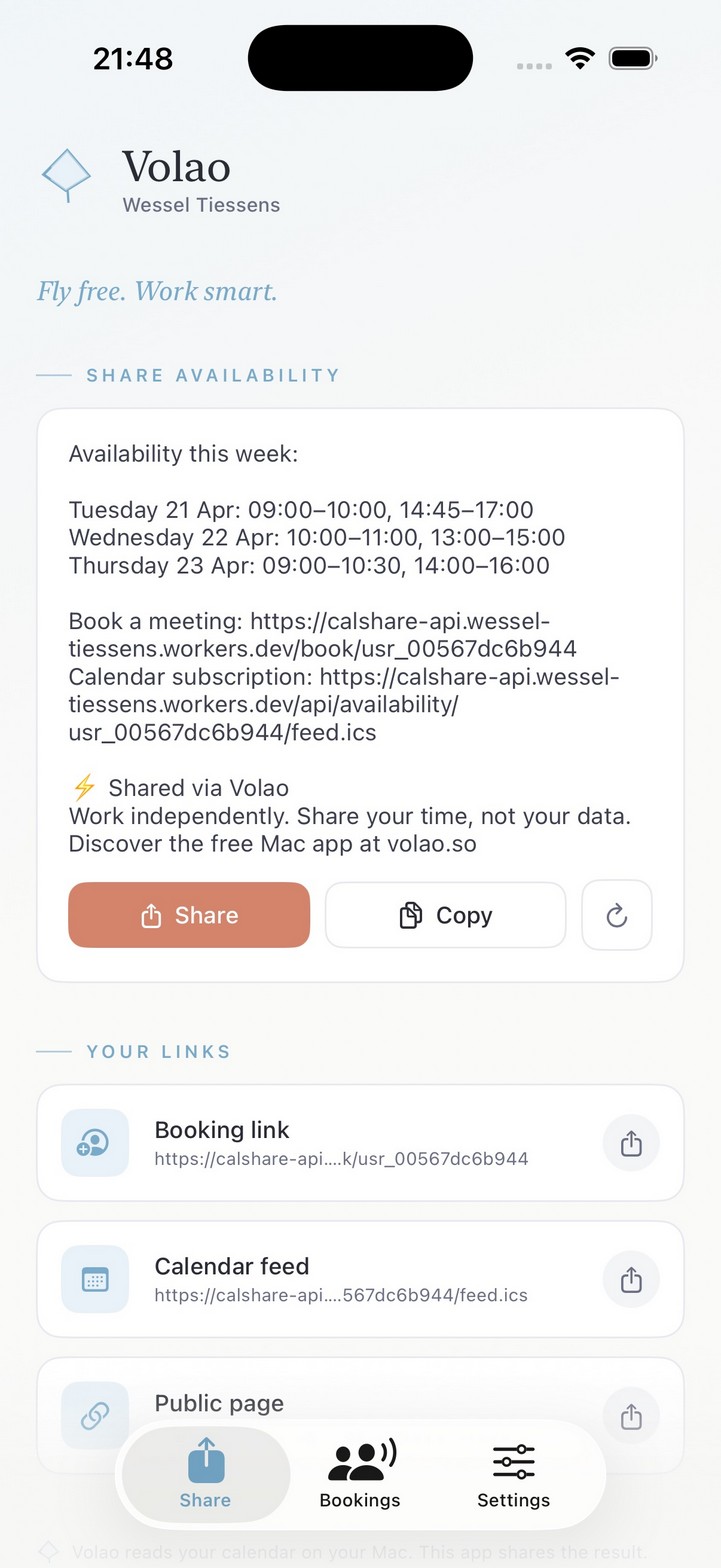
One click generates "This week: Mon 10:00–11:00, Tue 09:00–10:00…" — paste into email, Slack, WhatsApp, or DM.

04

Webcal feed for regular contacts

A client's secretary subscribes to your free blocks — up to a year ahead, live next to their own calendar. Booking with one click, no phone tag.

05

Booking without account lock-in

Guests book with name + email. No signup, no password, no tracking pixel. You get an ICS invitation in your inbox.

06

Multilingual by default

Booking page and share text adapt per language: NL, EN, DE, ES. Handy for freelancers working internationally.

One ecosystem. Three places.

Your Mac is the source. The booking page is for your guest. Your iPhone comes with you.

On your Mac

One click in your menubar — and you've got everything.

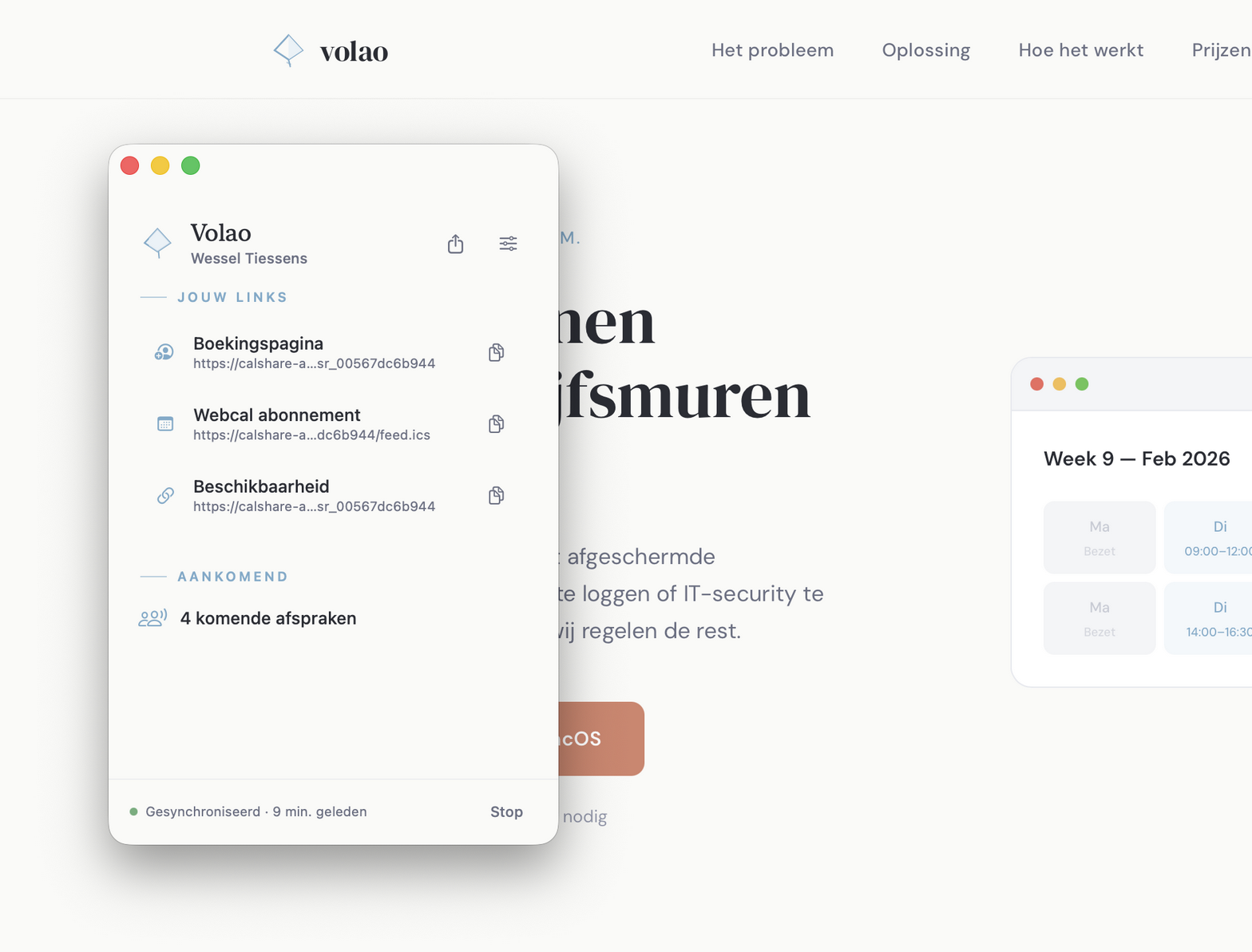
Your booking link, your webcal feed, your share text. See upcoming appointments at a glance. Volao reads your calendar locally via EventKit — iCloud, Google, Exchange, Outlook.

Volao menubar app on macOS showing links and upcoming bookings
For your guest

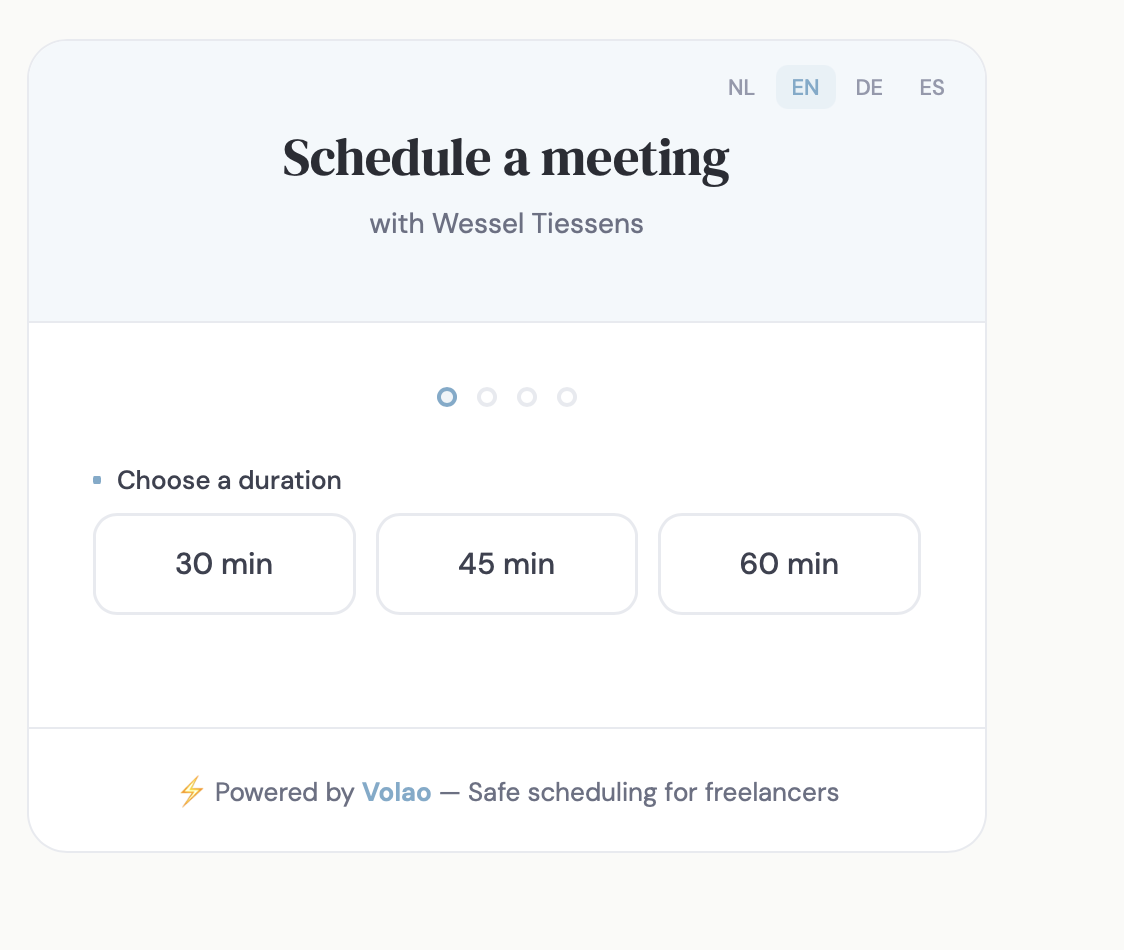
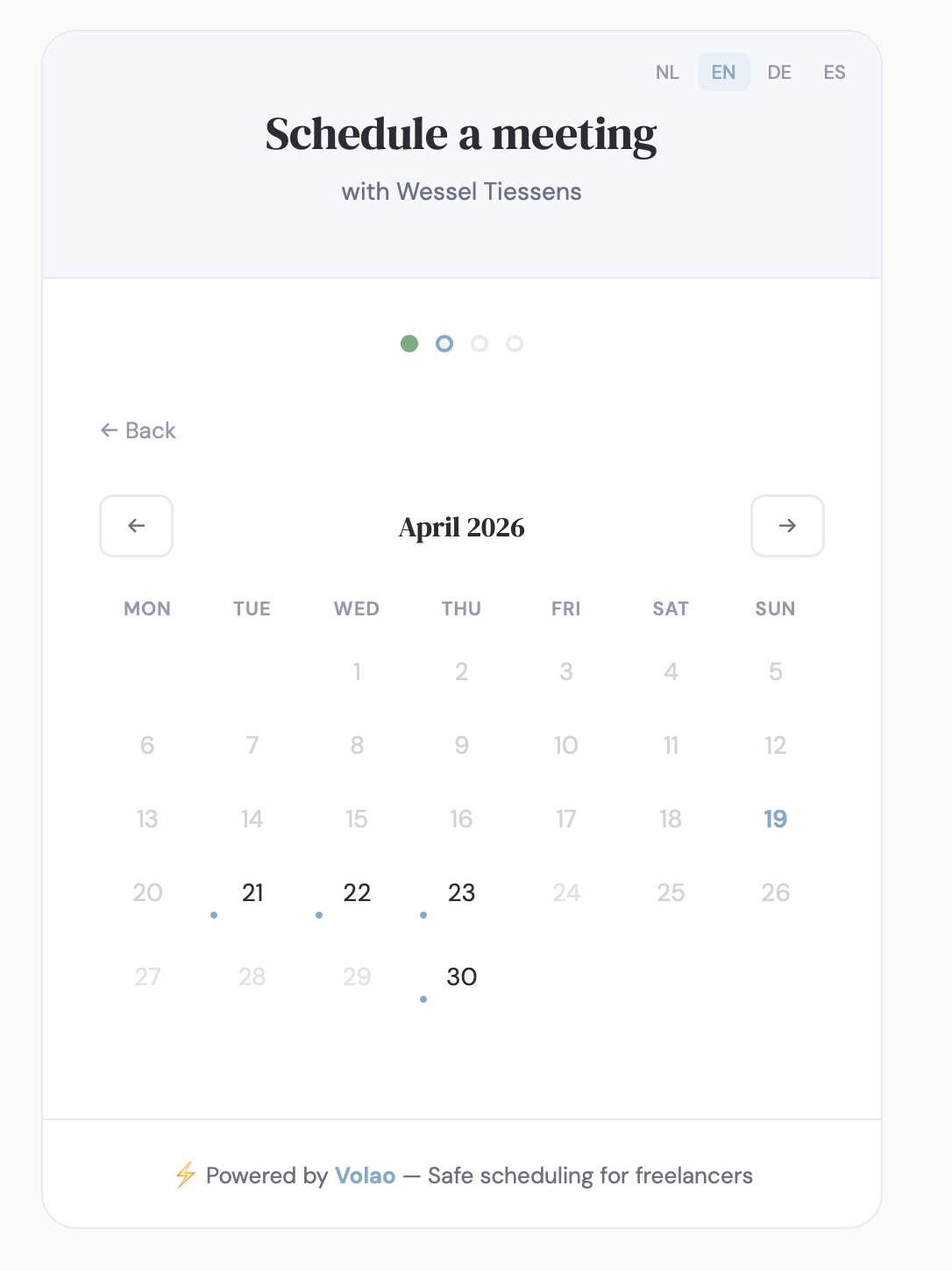
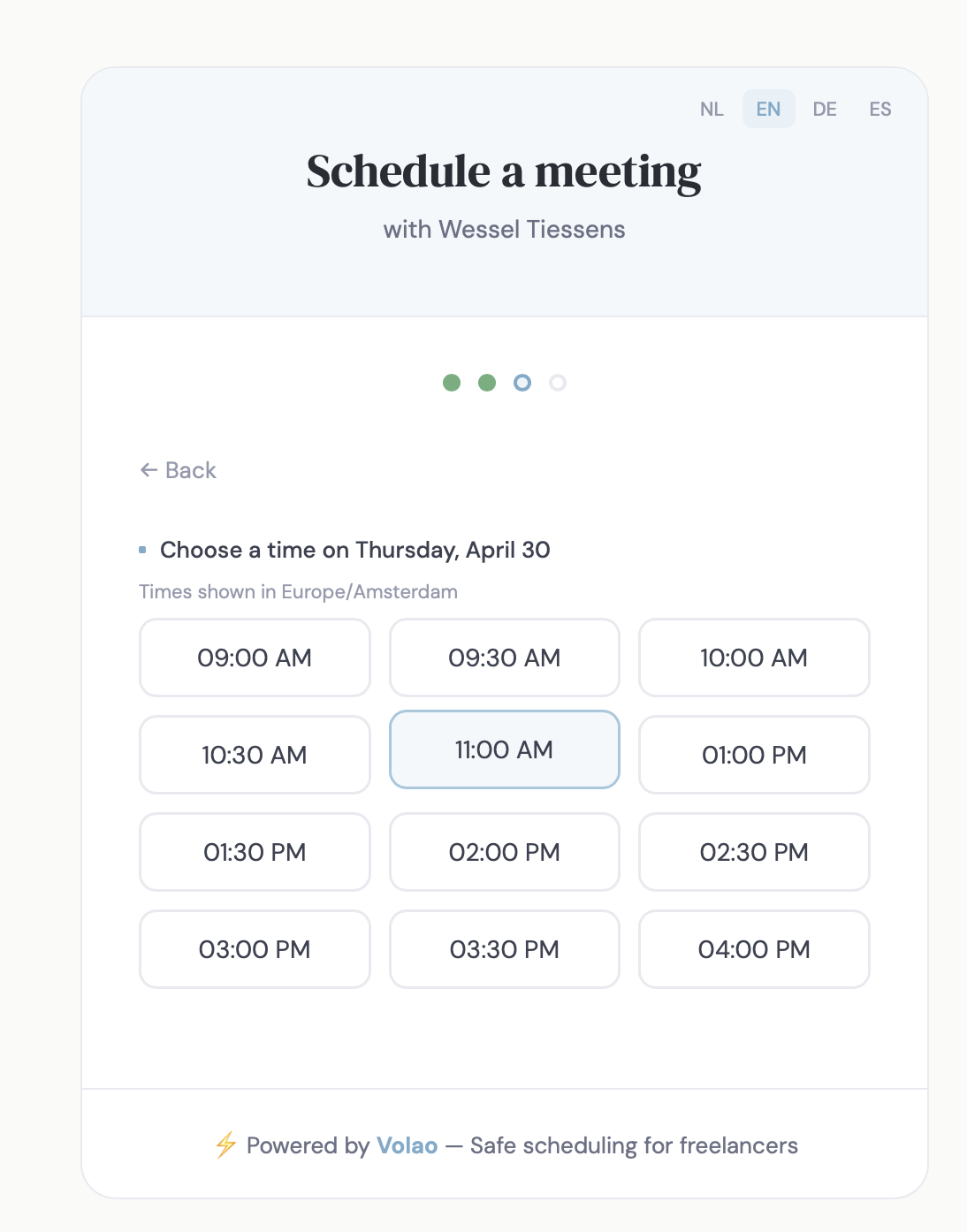
Book in three steps. No account.

Pick a duration. Date. Time. Name + email — done. No signup, no password, no tracking pixel. You get an ICS invitation in your inbox.

Booking page: choose a duration Booking page: pick a date Booking page: pick a time
On the go

iOS companion — for what you need on the go.

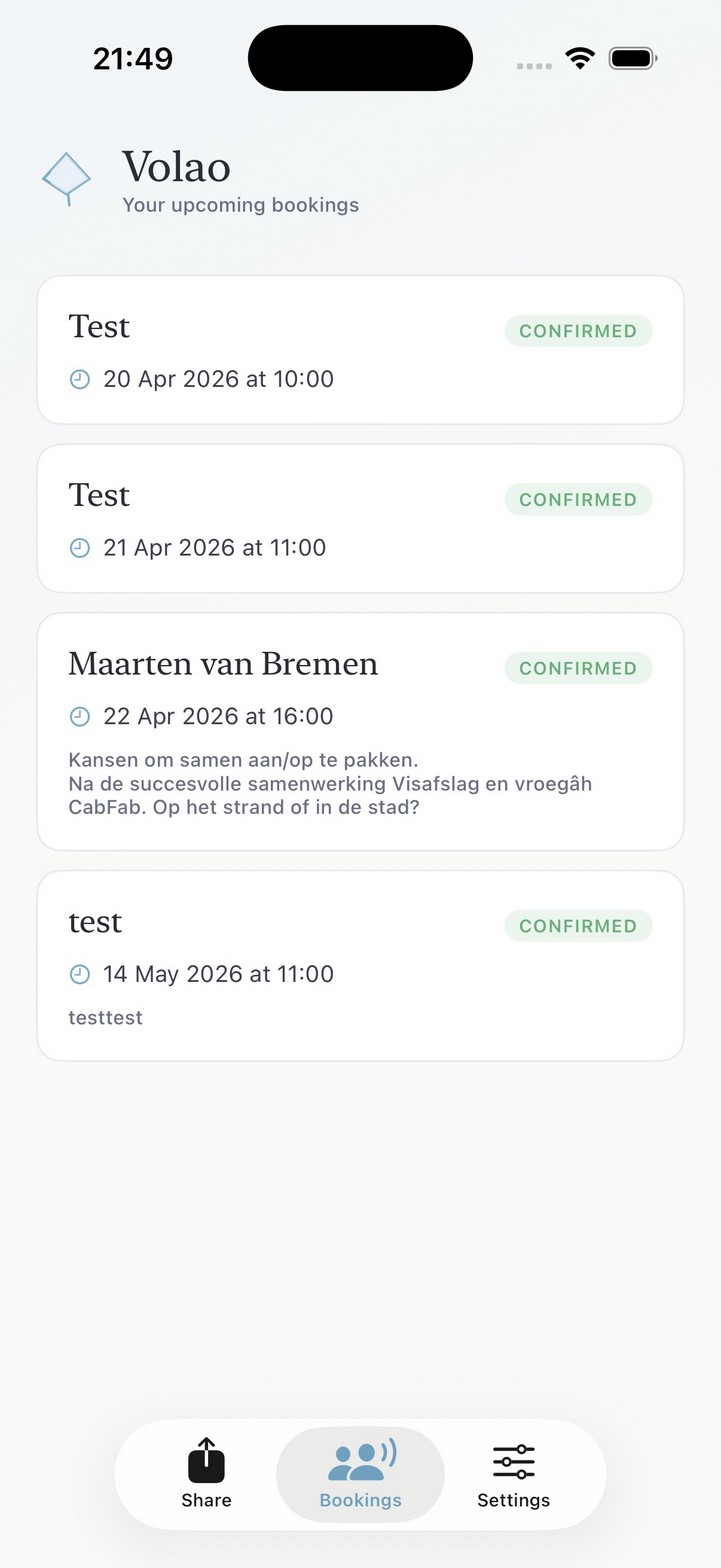
See upcoming bookings. Share your availability as text from your iPhone via the standard share sheet. Pair in 3 seconds via Universal Clipboard — no QR code, no login.

Free with your Mac license · iOS 17 or newer
iOS Volao: upcoming bookings iOS Volao: share availability
100% local processing
Only free slots leave your Mac
iCloud / Google / Exchange
Volao (local)
Only free slots

Scheduling without the overhead.

Big scheduling platforms want access to everything: your full calendar, your client list, your integrations. And a subscription per seat.

Volao does it differently. Locally on your Mac via EventKit. Only free slots to the server. Share text you just copy and paste. Backend on Cloudflare Workers, edge in Europe. This is how simple it should be.

Free in three steps.

1

Install the Mac app

Download Volao. It lives in your menubar. No account needed, no credit card.

2

Choose your calendars

Which calendars count for busy/free? Set work hours, buffer, and horizon. All in one screen.

3

Share as text, link, or feed

One click on your menubar icon. Share your free times as text, booking link, or webcal feed.

Simply priced.

Free during beta. Founding Members keep their discount forever.

Free
For the occasional sharer
€0 / month
  • Share as link, text, or webcal feed
  • Up to 4 weeks sync horizon
  • NL, EN, DE, ES booking page
  • "Shared via Volao" footer in share text
Team
For small teams · coming soon
€500 / year · from 10 seats
  • Everything in Pro
  • Multiple users, one account
  • Shared booking pages
  • Round-robin & team availability
Already have a Setapp subscription? Volao will also be distributed via Setapp — Pro functionality is included at no extra cost.

Frequently asked.

Why a Mac app and not a webapp?

Because your calendar is already on your Mac. By running locally, we don't have to send your event titles, attendees, and notes to a cloud. We only see when you're free.

Does Volao work with Google Calendar or Outlook?

Yes — via the built-in Calendar app on macOS. As long as your calendar shows up there (iCloud, Google, Exchange, Outlook, Fastmail, NextCloud), Volao works with it.

What do you actually store?

Only free time blocks plus the name and email of the guest who booked. No titles, no attendees, no locations, no notes from your existing appointments. Data lives on Cloudflare Workers edge, default region Europe (NL).

Can a guest book without an account?

Yes. Just name + email. No signup, no password, no tracking. You get an ICS invitation in your inbox — your standard calendar flow keeps working.

Is there an iOS app?

Yes, the Volao companion — free with your Mac license. It shows upcoming bookings and lets you share your availability as text from your iPhone. Pairing takes 3 seconds via Universal Clipboard. Calendar sync stays on your Mac.

Does Volao work offline?

The menubar app and calendar reading work offline. Syncing to your share link requires internet. The booking page for guests runs on Cloudflare and needs to be online.

Become a Founding Member.

We're looking for freelancers, consultants, and privacy-conscious professionals to shape the beta. Free access now — and a Pro price that's locked in forever when we launch.

First 500 members

Founding Member

Free during beta. Discount on Pro, forever.
  • Full access during beta — all Pro features
  • Locked-in discount on Pro when we launch
  • Direct line to the team — your feedback shapes the roadmap
  • Pay nothing until launch — no credit card
Free during beta · No credit card required

Why I built Volao.

I became a freelancer to be free. Free to choose what I work on, who I work with, and how I structure my days. But every time I tried a scheduling tool, it felt like I was handing over my entire calendar — for something I only wanted to do: share when I was free.

Calendly wanted my Google account. Cal.com wanted my OAuth tokens. SavvyCal wanted to know who I was meeting with. All for the simple purpose of showing someone my free hours.

This can be different. Not by building yet another cloud app — but by working with the system that's already on my Mac.

Apple Calendar was already syncing my iCloud, Google, and Exchange locally. Volao is built around that. It reads your calendar via EventKit, sends only your free time blocks to the server — never titles, attendees, or notes — and generates text, a link, or a webcal feed you can share in one click.

The name comes from volar — Spanish for to fly. Because that's what I wanted back. Light. Independent. Focused on my work, not the tools around it.

W
Wessel
Founder, Volao

Share your time, not your data.

Download Volao. Free during beta. No credit card, no account lock-in.

Free during beta · No credit card · Unsubscribe anytime